
On this page
Station readings and altitude settings
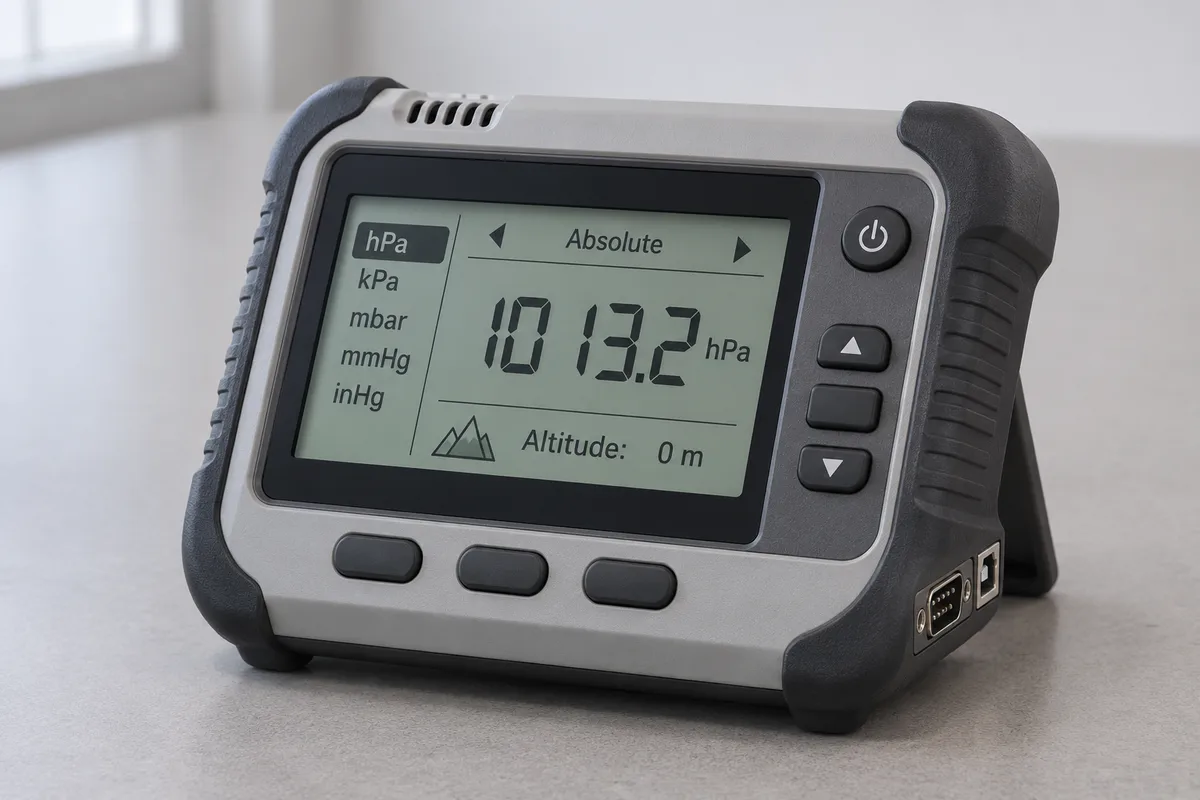
Record the selected display mode, pressure unit, altitude or offset setting and the normal local pressure region. If the station logs values separately, specify whether the required readings come from the display, a serial output or the stored log.
A handheld barometer might show station pressure on its service screen and sea-level pressure on the home screen. If maintenance records one and the weather log records the other, preserve the screen or field name beside the reading before comparing the numbers.
Specifications and service checks
A data logger might save 1001.6 hPa when the handheld screen shows 100.16 kPa. The two numbers agree once the units are aligned. Record the unit in both the live view and the downloaded file before investigating a scaling fault.
- Range and configuration
- The PTB330 series includes an atmospheric range of 500–1,100 hPa. Use station pressure for a direct comparison, rather than a weather display corrected to sea level.
- Manufacturers and models
- Vaisala PTB330 is an electronic barometer available with different pressure modules.
- What we check
- Compare the digital station-pressure output with a traceable absolute reference across the pressures used. A display reporting sea-level-corrected pressure needs its altitude or reduction settings recorded.
- Reference equipment and accuracy
- A calibrated absolute pressure controller or reference barometer is appropriate. Small height differences can be significant for high-resolution instruments.
- When to repeat the check
- Review drift against a second barometer and recheck after relocation if the reference height or installation changes.
Technical references PTB330 specifications - PTB330